

Your nonprofit onboarding checklist, ready to copy, print, or paste into your HR system, covers eight core phases: preboarding, Day 1, Week 1, technology and data access, mission and culture orientation, role-specific training, 30/60/90 milestones, and buddy support. Mission Edge recommends treating onboarding as a strategic, minimum 90-day investment rather than a one-week administrative sprint, and that framing shapes every section below.
Quick-reference checklist:
- Preboarding: Send offer confirmation, welcome message, employee handbook, org chart, and first-day logistics. Complete I-9, W-4, payroll setup, and benefits enrollment. Provision email, CRM access, and hardware before Day 1.
- Day 1: Mission storytelling session, tech orientation, team introductions, buddy meeting, and HR paperwork review.
- Week 1: Role-specific training kickoff, stakeholder introductions, SOP walkthrough, and first manager check-in.
- Month 1: Complete required compliance training, document 30-day milestones, and conduct a formal 30-day check-in.
- 60 days: Assess role-specific competency progress, adjust milestones, and schedule a peer feedback conversation.
- 90 days: Mutual 90-day review with manager, confirm ongoing development plan, and close the formal onboarding period.
- Tech and data: Confirm all system access, review data-handling SOPs, and document permissions.
- DEI touchpoints: Include inclusive language in all orientation materials, discuss accessibility needs, and introduce ERGs or affinity groups where they exist.
| Phase | Key Tasks | Timing |
|---|---|---|
| Preboarding | Paperwork, tech setup, welcome message, buddy assignment | Before Day 1 |
| Orientation | Mission session, HR forms, team intros, tech walkthrough | Day 1 |
| Role training | SOP review, system training, stakeholder meetings | Week 1 |
| 30-day milestone | First formal check-in, milestone review, feedback | End of Month 1 |
| 60-day milestone | Competency check, adjusted goals, peer feedback | End of Month 2 |
| 90-day milestone | Mutual review, development plan, onboarding close | End of 90 days |
This phased 30/60/90 approach aligns with guidance from multiple nonprofit experts: onboarding should extend through the first 90 days with explicit check-ins and milestone tracking, tailored to each role's needs.
The Management Center's reusable onboarding checklist organizes tasks into exactly these phases and recommends adapting the structure by role, which is the approach this guide follows throughout.
Key Takeaways
A well-structured nonprofit onboarding checklist, built around a 90-day timeline broken into preboarding, Day 1 orientation, Week 1 training, and 30/60/90-day milestones—with mission-first orientation, role-specific checkpoints, and a supported buddy—is the most reliable way to reduce early turnover and accelerate contribution.
| Point | Details |
|---|---|
| Start before Day 1 | Complete all paperwork, tech setup, and buddy assignment before the new hire arrives. |
| Lead with mission | Open Day 1 with a mission storytelling session, not HR forms or policy readings. |
| Write milestones in behavioral terms | Define 30/60/90 success indicators by role so expectations are clear and trackable from Week 1. |
| Protect check-in time | Schedule 30, 60, and 90-day check-ins before Day 1 and treat them as non-cancellable. |
| Discassess for style-aware onboarding | The DISC Group Package lets managers run cohort assessments and tailor communication from the first week. |
Table of Contents
- What should you finish before a new hire's first day?
- A sample Day 1 and Week 1 agenda you can copy into a calendar
- How do you handle technology and data access for a new nonprofit hire?
- How do you lead onboarding with mission, culture, and ethics?
- How do you build a role-specific training plan with 30/60/90 milestones?
- What does a 30/60/90-day check-in schedule look like?
- How do you assign a buddy and build belonging in the first 90 days?
- How do you adapt the checklist for different nonprofit roles?
- Why DISC assessments make nonprofit onboarding more effective
- Where can you find copyable templates and downloadable checklists?
- What actually works in nonprofit onboarding (and what quietly fails)
- How Discassess helps nonprofits onboard more effectively
- Sources
What should you finish before a new hire's first day?
Preboarding is where most nonprofit onboarding fails. When a new hire arrives on Day 1 to find no email account, a missing access badge, or a manager who forgot they were starting, the damage to trust is immediate and hard to undo. ChooseUST's onboarding guidance identifies the welcome packet, tech setup, and handbook distribution as the three highest-impact preboarding items, and they are right.
Administrative tasks to complete before Day 1:
- Confirm start date, arrival time, parking or building access, and dress code in writing.
- Send a warm welcome message from the executive director or direct manager, not just HR.
- Distribute the employee handbook, org chart, and a list of key contacts.
- Complete or initiate the I-9 and W-4 (required under U.S. federal law), direct deposit authorization, and benefits enrollment paperwork. NonprofitWA recommends completing required U.S. paperwork, conducting a safety orientation, and opening a confidential personnel file before or on Day 1.
- Open the personnel file and document all completed forms.
IT and workspace tasks:
- Create the new hire's organizational email address and send login credentials securely.
- Provision CRM access at the appropriate permission level for the role.
- Set up accounts for finance systems, grant databases, project management tools, and shared drives.
- Prepare hardware (laptop, phone, headset) and confirm it is tested and ready.
- Add the new hire to relevant Slack channels, Teams groups, or communication platforms.
Relationship and culture prep:
- Assign a non-supervisory buddy before Day 1 and brief that person on their responsibilities.
- Pre-schedule a short 1:1 welcome call between the new hire and their direct manager for the morning of Day 1.
- Add the new hire to the team calendar and send the Day 1 agenda.
Pro Tip: Record a two-minute welcome video from the executive director and include it in the preboarding email. New hires who hear the mission in a personal voice before they walk in the door arrive with noticeably higher energy on Day 1.
A sample Day 1 and Week 1 agenda you can copy into a calendar
The most common Day 1 mistake is packing eight hours with policy readings and HR forms. New hires remember almost none of it. Structure the first day around three things: feeling welcomed, understanding the mission, and getting their tools working.
Sample Day 1 schedule:
| Time | Activity | Owner |
|---|---|---|
| 9:00–9:30 AM | Welcome 1:1 with direct manager | Manager |
| 9:30–10:00 AM | Mission storytelling session (impact examples, beneficiary stories) | ED or Program Lead |
| 10:30–11:00 AM | Tech setup and system walkthrough | IT or Operations |
| 11:30 AM–12:00 PM | Team lunch or informal introductions | Buddy |
| 12:30–1:30 PM | HR paperwork review and benefits Q&A | HR |
| 2:00–2:30 PM | Org chart walkthrough and key stakeholder introductions | Manager |
| 3:00–3:30 PM | Role overview and 30/60/90 preview | Manager |
| 4:00–4:30 PM | Buddy debrief and open Q&A | Buddy |
Sample Week 1 agenda by day:
| Day | Focus | Key Activities |
|---|---|---|
| Monday | Welcome and mission | Day 1 schedule above |
| Tuesday | Role and systems | SOP walkthrough, CRM training, role-specific tools |
| Wednesday | Stakeholders | Intro meetings with key internal and external contacts |
| Thursday | Training | Required compliance training, safety orientation |
| Friday | Reflection | Manager check-in, buddy lunch, open questions |
A few notes on making this work in practice. Keep each training block to 60–90 minutes at most. Alternate between screen-based tasks and human conversations so the new hire does not hit cognitive overload by Wednesday. And build in at least one unstructured hour each day for the new hire to process, take notes, and ask informal questions of their buddy.
How do you handle technology and data access for a new nonprofit hire?
Technology onboarding in a nonprofit carries a responsibility that most corporate onboarding guides understate: your new hire will likely touch donor records, grant data, and beneficiary information within their first week. NPAct's technology onboarding checklist emphasizes CRM and accounting system training, SOP reviews, and explicit data-responsibility guidance as non-negotiable items for nonprofit new hires.
Required account permissions (request these before Day 1):
- Organizational email and calendar
- Donor CRM (e.g., Salesforce Nonprofit, Bloomerang, DonorPerfect) at the role-appropriate permission level
- Finance system (e.g., QuickBooks Nonprofit, Sage Intacct) for finance and operations roles
- Grant management database for program and development staff
- Shared drives (Google Drive, SharePoint, or Dropbox) with folder-level access controls
- Project management tools (Asana, Monday.com, or equivalent)
- Video conferencing and communication platforms
Data responsibility orientation items:
- Review the organization's data privacy policy and donor confidentiality agreement on Day 1.
- Document which staff roles can access which data categories and at what permission level.
- Walk through the data-handling SOPs for donor records, grant reports, and beneficiary files.
- Explain the process for reporting a data breach or accidental disclosure.
- Confirm the new hire has signed any required confidentiality agreements before accessing live systems.
Role-specific tech priorities:
- Program staff: beneficiary database, case management tools, outcome tracking systems
- Development staff: donor CRM, prospect research tools, email marketing platforms
- Finance staff: accounting software, expense reporting, payroll systems
- Operations staff: facilities management tools, vendor portals, HR information system
Pro Tip: Record a five-minute screen-capture walkthrough for each major system and store it in the onboarding folder. ChooseUST notes that recorded training modules reduce repetitive live training and support consistent learning across cohorts, which matters especially when you onboard multiple staff in the same quarter.
How do you lead onboarding with mission, culture, and ethics?
The most effective nonprofit orientation checklists put "the why" before "the how." A new hire who understands your mission deeply will make better decisions, ask better questions, and stay longer than one who learned your CRM first and your mission third. Mission Edge's best practices are explicit: purpose-led onboarding that emphasizes mission first increases early engagement and reduces turnover risk.
Mission and culture orientation items:
- Open Day 1 with a mission storytelling session that includes real impact examples, not just the strategic plan.
- Share two or three beneficiary stories or program outcomes that illustrate the organization's work in concrete terms.
- Introduce the organization's values and explain how they show up in daily decisions, not just on the wall.
- Discuss the community the organization serves, including its history, demographics, and any relevant context about systemic challenges.
- Explain the organization's theory of change and how the new hire's role connects to it.
Ethics and compliance orientation:
- Review the conflict-of-interest policy and have the new hire sign the acknowledgment form.
- Cover confidentiality expectations for staff, volunteer, donor, and beneficiary information.
- Explain the whistleblower policy and how to raise concerns safely.
- Discuss social media guidelines and external communications protocols.
DEI orientation touchpoints:
- Use inclusive language in all orientation materials and review them annually.
- Discuss the organization's DEI commitments and any active equity initiatives.
- Introduce employee resource groups, affinity spaces, or peer networks where they exist.
- Ask the new hire about any accessibility needs and address them before Day 1 where possible.
- Frame DEI not as a compliance item but as a reflection of the organization's mission and values.
Pro Tip: Pair the mission storytelling session with a short staff panel of two or three team members who each share one moment when the work felt most meaningful. This makes the mission tangible in a way that no slide deck can replicate.
How do you build a role-specific training plan with 30/60/90 milestones?
Generic onboarding plans produce generic results. A program coordinator and a development associate need different SOPs, different system access, and different success indicators at 30, 60, and 90 days. HR TailorMade's 90-day onboarding framework recommends explicit 30/60/90 milestones tied to regular check-ins as the most reliable way to reduce early turnover in small nonprofits.
How to build a role-specific learning plan:
- Map every SOP the new hire will own or contribute to within their first 90 days.
- Identify required certifications or compliance training (e.g., HIPAA, grant compliance, CPR) and schedule them in Week 1 or 2.
- List the systems and tools the role depends on and assign a training session for each.
- Identify three to five key stakeholders the new hire must build relationships with and schedule intro meetings in Week 1.
- Write milestones in behavioral terms: "Can run a donor report in the CRM independently" rather than "Understands the CRM."
Sample 30/60/90 milestones by role:
| Role | 30-Day Milestone | 60-Day Milestone | 90-Day Milestone |
|---|---|---|---|
| Program Coordinator | Knows all active program SOPs; has met all key community partners | Leading one program activity independently | Managing a full program cycle with minimal supervision |
| Development Associate | CRM proficient; has drafted one donor communication | Managing a donor segment independently | Has contributed to one grant application or campaign |
| Finance Manager | Understands all accounts and reporting cycles | Has completed a monthly close independently | Has produced a board-ready financial report |
Track milestone completion in a shared document and review it at each check-in. When a milestone is not met, the goal is to understand why, not to penalize. Adjust the timeline or the support before adjusting the expectation.
What does a 30/60/90-day check-in schedule look like?
Check-ins are where onboarding either holds together or quietly falls apart. Most managers schedule them with good intentions and then cancel them when things get busy. Build them into the calendar before Day 1 and treat them as protected time.
Recommended check-in cadence:
- Day 5 (end of Week 1): Manager and new hire, 30 minutes. Focus: first impressions, open questions, any logistical gaps.
- Day 30: Manager and new hire, 45–60 minutes. Review 30-day milestones, discuss what is working, identify any early friction points.
- Day 60: Manager, new hire, and optionally the buddy, 45 minutes. Assess competency progress, adjust 90-day milestones if needed, and open a peer feedback conversation.
- Day 90: Manager, new hire, and a leadership touchpoint (ED or department head), 60 minutes. Mutual review of the full onboarding period, confirm the ongoing development plan, and formally close the onboarding phase.
Sample check-in questions for managers:
- What has felt most clear about your role so far, and what still feels unclear?
- Which relationships have been easiest to build, and where do you need more connection?
- Is there anything about our culture or processes that surprised you?
- What would have made your first 30 days easier?
Sample check-in questions for new hires to ask their manager:
- What does success look like for me at the 90-day mark?
- Where do you see my biggest opportunity to contribute right now?
- Is there anything I should be doing differently?
Document every check-in with a brief written summary and share it with the new hire within 24 hours. When milestones shift, update the shared tracking document the same day. This creates a record of growth and prevents misaligned expectations from compounding over time. HR TailorMade's staged framework specifically recommends a 90-day mutual check-in as the closing event of the formal onboarding period.
How do you assign a buddy and build belonging in the first 90 days?
A buddy is not a mentor and not a manager. The distinction matters. A mentor focuses on long-term development and career growth. A buddy handles the day-to-day: where to find the coffee, how to submit an expense report, which Slack channel is actually active, and what the unwritten norms are. Galaxy Digital's volunteer onboarding research highlights the buddy role as a primary driver of cultural assimilation, and the same principle applies to staff.
Buddy responsibilities checklist:
- Meet the new hire on Day 1 and give a brief informal tour.
- Check in informally at least twice in Week 1 (not just the scheduled buddy meeting).
- Share unwritten norms: communication preferences, meeting culture, how decisions actually get made.
- Introduce the new hire to colleagues outside their immediate team during Week 1 and 2.
- Be available for low-stakes questions the new hire might hesitate to ask their manager.
- Check in at the 30-day mark to see how the new hire is settling in.
How to choose a buddy:
- Select someone who has been with the organization for at least one year and genuinely enjoys helping others.
- Choose a non-supervisory peer, never someone in the new hire's direct reporting line.
- Aim for complementary working styles rather than identical ones. A new hire who processes information carefully benefits from a buddy who is action-oriented and can help them move faster. Matching by complementary DISC styles speeds trust-building because the two people naturally fill each other's gaps.
Pro Tip: Give buddies a short written checklist of their responsibilities and recognize them publicly at a team meeting. Most HR teams assign a buddy and then forget to support that person. A five-minute acknowledgment at a staff meeting costs nothing and signals that the role is valued.
How do you adapt the checklist for different nonprofit roles?
A master nonprofit onboarding checklist is a starting point, not a finish line. The items that matter most for a volunteer coordinator are meaningfully different from those that matter for a finance manager, and treating them the same wastes everyone's time.
Role-specific priority items:
- Program staff: beneficiary database training, community partner introductions, program SOPs, outcome measurement tools, and any required certifications (CPR, HIPAA, mandated reporter training).
- Development staff: donor CRM access and training, gift processing procedures, grant calendar orientation, major donor protocols, and fundraising ethics guidelines.
- Finance staff: accounting system access, chart of accounts orientation, expense and reimbursement policies, audit preparation procedures, and grant compliance requirements.
- Operations staff: facilities and vendor management, HR information system, IT protocols, and organizational policy documentation.
- Volunteers: Galaxy Digital's four-phase model (connect, prepare, activate, support) maps cleanly onto staff onboarding when volunteers and staff interact frequently. Volunteers need a condensed version of the mission orientation, a clear role description, a safety briefing, and a named point of contact for questions.
Role-to-priority mapping:
When volunteers and paid staff work side by side on programs, fold the volunteer orientation into the same mission storytelling session. Shared mission context builds mutual respect and reduces friction between staff and volunteer teams. You can find practical guidance on applying DISC with volunteers to extend this integration further.
Why DISC assessments make nonprofit onboarding more effective
The core claim is straightforward: when managers know a new hire's behavioral style before the 30-day milestone, they can tailor communication, mentorship, and milestone expectations in ways that reduce early friction and speed cultural fit. This is not a theoretical benefit. Mission Edge's practitioner guidance explicitly recommends assessment-driven personalization as part of purpose-led, 90-day onboarding.
How DISC supports the onboarding process:
- A new hire with a high-D (Dominance) style needs clear goals, autonomy, and direct feedback from Day 1. Burying them in process documentation without context will frustrate them within two weeks.
- A high-S (Steadiness) style needs relationship-building time, a predictable schedule, and reassurance that they are doing well. Rushing them through a packed Week 1 agenda without check-ins creates anxiety, not confidence.
- A high-C (Conscientiousness) style wants detailed SOPs, written expectations, and time to process before being asked to perform. Verbal-only training will leave them feeling underprepared.
- A high-I (Influence) style thrives on social connection and recognition. Isolating them at a desk for their first three days is a retention risk.
Matching buddies by complementary DISC styles amplifies these benefits. A high-D buddy paired with a high-S new hire creates a natural balance: the buddy moves quickly and confidently, which helps the new hire build momentum, while the new hire's steadiness helps the buddy slow down and explain context. Team cohesion research consistently shows that style-aware relationships accelerate trust.
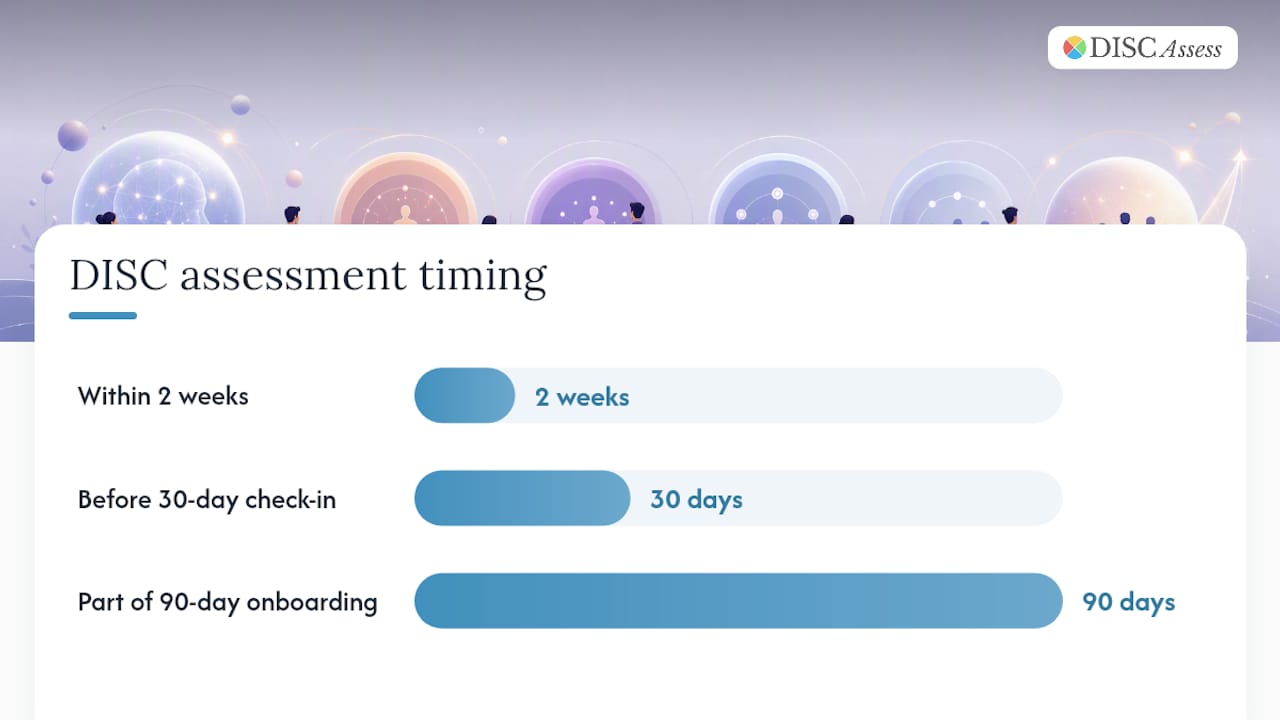
Pro Tip: Administer the DISC assessment during preboarding or within the first two weeks, before the 30-day check-in. Share results with the manager and buddy (with the new hire's knowledge and consent) so all three people enter the first formal check-in with a shared language for communication preferences. Use the results directly in 30/60/90 planning by noting which milestone delivery format fits the new hire's style.
Where can you find copyable templates and downloadable checklists?
Having a well-designed checklist in a shared folder is worth more than a perfect checklist that lives only in someone's head. ChooseUST's onboarding toolkit includes downloadable 30/60/90 templates, orientation checklists, surveys, and sample onboarding exercises built specifically for nonprofit employers.
Template types to build into your onboarding folder:
- Master nonprofit onboarding checklist (the full preboarding-through-90-days version)
- Day 1 agenda (customizable by role)
- Week 1 agenda (customizable by role)
- 30/60/90 milestone template with success indicators
- Buddy responsibilities checklist
- SOP template for role-specific procedures
- Check-in conversation guide with sample questions
- DEI orientation checklist
Where to find high-quality templates:
- The Management Center offers a reusable, role-adaptable onboarding checklist that covers pre-Day 1, Week 1, and Month 1 tasks.
- ChooseUST's toolkit provides downloadable 30/60/90 plans, surveys, and orientation exercises.
- NonprofitWA covers U.S. compliance paperwork, safety orientation, and personnel file procedures.
- Discassess provides group assessment packages and an admin portal that can be integrated directly into your onboarding folder workflow.
Store all templates in a single shared onboarding folder with clear version dates. When you update a template, archive the previous version rather than deleting it. This matters for compliance audits and for understanding what a specific cohort of new hires experienced. Review the full template set at least once per year, or after any significant organizational change.
What actually works in nonprofit onboarding (and what quietly fails)
Most nonprofit onboarding problems are not resource problems. They are design problems. Organizations that struggle with early turnover almost always share the same three patterns: an overloaded Day 1, no assigned buddy, and milestones that exist on paper but are never reviewed.
The fix for an overloaded Day 1 is simple: move all HR paperwork to preboarding. If a new hire is signing forms at 2:00 PM on their first day, something went wrong in the preboarding phase. Day 1 should feel like a welcome, not a processing queue.
Missing role clarity is the quieter problem. A new hire who does not know what success looks like at 30 days will spend their first month trying to look busy rather than doing meaningful work. Written milestones, shared on Day 1, solve this almost entirely.
The buddy assignment is the most consistently skipped step in nonprofit onboarding, and it is also the one with the most immediate payoff. Galaxy Digital's research shows that a named, supported buddy materially improves cultural assimilation, yet most HR teams treat it as optional. It is not optional. It is the fastest way to help a new hire feel like they belong.
Three small experiments worth trying if you want to improve your current process: run cohort onboarding sessions when you hire two or more people in the same quarter (shared mission orientation builds peer bonds immediately), record your most complex training modules once and add them to the onboarding folder (this alone reduces repetitive live training significantly), and send a brief written summary after every check-in. That last habit, more than any other, prevents the slow drift between manager expectations and new hire reality that causes most 90-day departures.
How Discassess helps nonprofits onboard more effectively
Knowing how a new hire is wired before their first check-in changes the entire onboarding conversation. Discassess offers nonprofit teams a practical, affordable way to build that understanding into the process from Day 1.
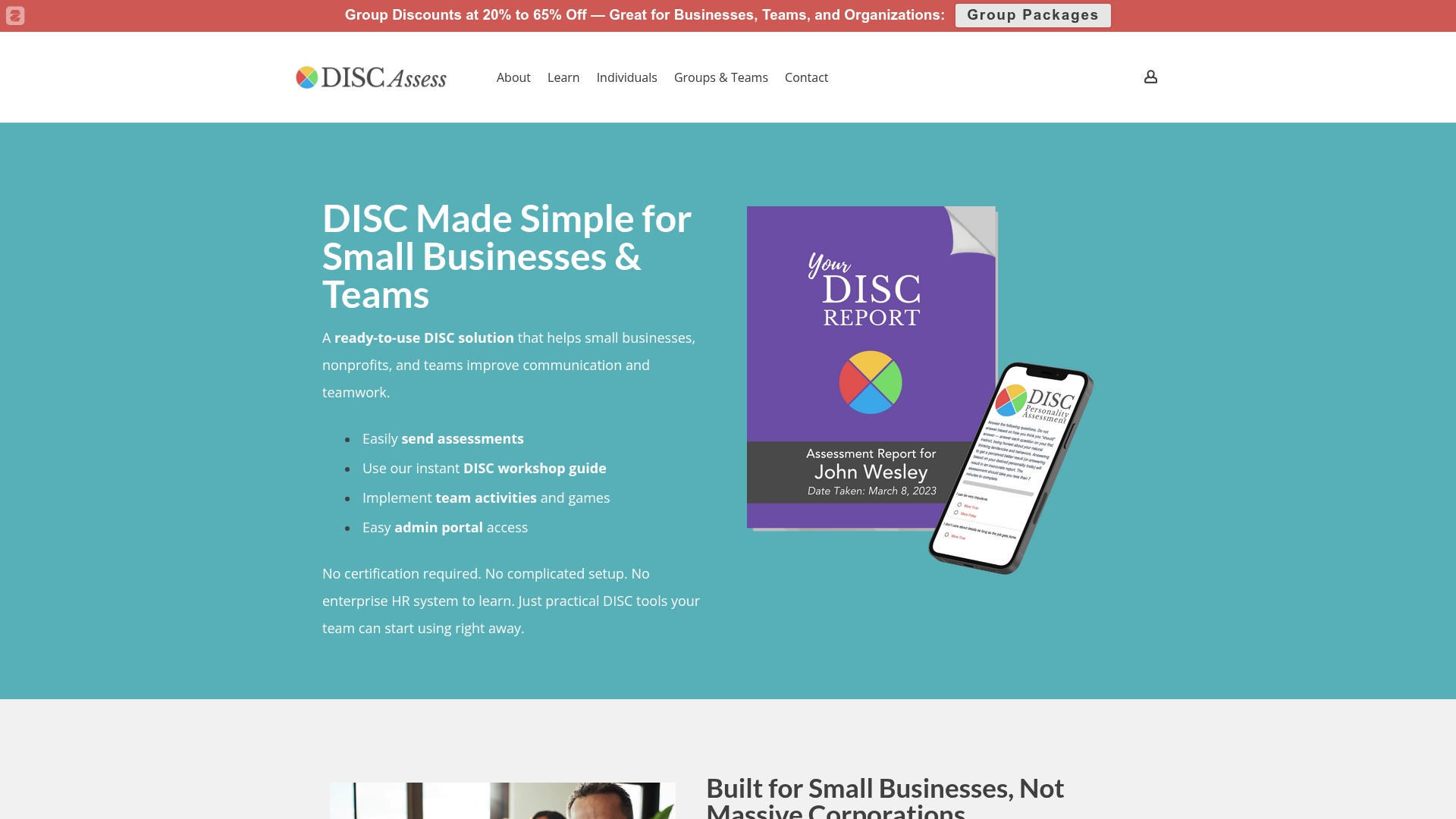
The DISC Group Package gives HR managers an admin account with assessment credits, making it straightforward to run assessments for an entire onboarding cohort and share results with managers and buddies before the 30-day milestone. For organizations that want to brand the experience for their staff or volunteers, the White Label DISC System allows you to deliver assessments under your own organization's name. Individual hires can also complete a standalone Classic DISC Personality Assessment with a full report, which integrates directly into the 30/60/90 planning conversation. Explore the full range of options and try the admin portal to see how group management works before you commit.
Sources
These vetted sources cover the full range of nonprofit onboarding needs, from U.S. compliance paperwork to 30/60/90 templates and DISC-based personalization tools.
- Best Practices for Nonprofit Onboarding: Smart, Smooth & Mission-Aligned — Mission Edge
- How to Create an Effective Nonprofit Employee Onboarding Program — ChooseUST
- Onboarding checklist — The Management Center
- Onboarding workers — Nonprofit Association of Washington
- Non‑Profit Onboarding Checklist for Technology & Data — NPAct
- Volunteer onboarding process and best practices checklist — Galaxy Digital
- The First 90 Days: An Onboarding Checklist for Small Nonprofits — HR TailorMade
- Employee Onboarding Toolkit for Nonprofit Employers — ChooseUST