

Yes. A short DISC assessment paired with one-page communication cheat sheets is one of the fastest ways to onboard volunteers, place them in roles that fit, and cut down on early dropout. The benefits show up quickly: faster onboarding, better role fit, and clearer communication between coordinators and the people they lead. The next step is simple: send a brief online DISC to your next volunteer group and hand out single-page cheat sheets before their first shift.
TL;DR:
- Volunteer teams that complete DISC assessments quickly match volunteers to roles, reducing early dropout and improving retention through better fit.
- Using a 10 to 15-minute DISC assessment during onboarding allows for immediate role placement with simple style heuristics, avoiding lengthy training.
- Providing volunteers with one-page cheat sheets and team maps before shifts enhances communication, minimizes briefing errors, and increases the likelihood of return visits.
- Incorporating DISC results into regular check-ins and team debriefs strengthens communication and reduces conflicts during ongoing volunteer activities.
- It is crucial to store DISC data securely, treat assessment results as style indicators—not screening tools—and use them only for role fit and communication optimization.
Table of Contents
- Why Volunteer Teams Benefit From DISC Assessments
- How to Run DISC With Volunteers: A Step-By-Step Workflow
- What Volunteer-Facing DISC Reports Actually Look Like
- Best Practices That Actually Move Completion Rates
- What Running DISC With Volunteers Actually Teaches You
- How Discassess Supports Volunteer Programs
- Sources
- FAQ
Why Volunteer Teams Benefit From DISC Assessments
Volunteer programs run on borrowed time. Most coordinators get one orientation session, maybe a follow-up email, and then volunteers are expected to show up ready to serve. There is rarely room for a slow ramp up, and turnover tends to run high because volunteering competes with paid work, family schedules, and a dozen other commitments. That is exactly the environment where a fast behavioral snapshot helps most.
A DISC assessment typically takes 10 to 15 minutes to complete and produces a plain-language report. Compare that to a full personality inventory or a multi-hour training module, and the appeal for volunteer coordinators becomes obvious.
Academic and sector literature has started documenting this pattern directly. Research on behavioral assessments strengthening nonprofit workforces points to better role fit and improved team dynamics when organizations apply tools like DISC intentionally, rather than as a one-time novelty. Practitioner reporting backs this up. A recent Forbes analysis of DISC in team building found that teams report clearer understanding of colleagues once DISC results get actively applied, not just filed away after the assessment.
For volunteer programs specifically, three outcomes tend to follow:
- Faster assignment. Coordinators can place new volunteers into roles within a single orientation session instead of guessing based on a five-minute conversation.
- Clearer micro-briefs. Team leads can hand a volunteer a two-sentence instruction that actually matches how that person processes direction.
- Better return rates. Volunteers who feel matched to a role they're suited for are more likely to come back for the next shift or season.
Pro Tip: Treat the DISC results as a starting conversation, not a verdict. A volunteer's style tells you how they prefer to work, not whether they're capable of the job.
How to Run DISC With Volunteers: A Step-By-Step Workflow
Running DISC with a volunteer team works best when it rides inside your existing onboarding process instead of becoming a separate task nobody prioritizes. Here is a five-step workflow you can adapt to your next cycle.
- Prepare. Add the assessment link to your very first onboarding email, alongside waivers and schedule details. Tell volunteers plainly that this is about finding roles that fit their strengths, not screening people out.
- Run. Send the link and tell volunteers the assessment takes about 10 to 15 minutes. Collect completed results through a group admin portal so you're not chasing spreadsheets by hand.
- Process. Turn results into a one-page cheat sheet per volunteer and a team-style map for coordinators. A team lead should be able to scan either one in under five minutes before a shift starts.
- Place. Match volunteers to roles using simple style heuristics: D-styles toward logistics and lead roles, I-styles toward greeter and outreach positions, S-styles toward hospitality and steady support tasks, C-styles toward detail-heavy work like registration or inventory, based on common placement patterns for volunteer teams.
- Follow up. Schedule a quick check-in after the first event or shift. Track completion rate and return rate so you know whether the process is actually working.
That last step matters more than most coordinators expect. Applying DISC once and never revisiting it wastes most of its value. Guidance on continuous DISC application shows measurable gains in communication and reduced conflict when teams fold results into regular check-ins rather than treating the report as a one-time document.
Pro Tip: Don't wait until week three to introduce DISC. Volunteers who complete it during onboarding arrive at their first shift with a role already in mind, which cuts down on the "where do I even start" confusion that drives early no-shows.
Putting the assessment inside your onboarding sequence rather than as a bolt-on step also means behavioral data is available from day one, when coordinators need it most. A nonprofit onboarding checklist can help you figure out exactly where that link belongs in your welcome flow.
What Volunteer-Facing DISC Reports Actually Look Like
Long personality reports don't work for volunteer teams. Nobody reads a 20-page PDF between a shift briefing and setup. What works instead is short, visual, and immediately usable.
Three outputs cover almost every volunteer use case:
- A single-page communication cheat sheet showing each volunteer's dominant style, how they prefer to receive instructions, and what tends to frustrate them.
- A team map that gives coordinators a bird's eye view of the group's style mix before an event, so they can catch imbalances (too many C-styles and not enough I-styles for a greeter-heavy event, for instance).
- A role-fit checklist pairing common volunteer roles with the styles most likely to thrive in them.
Nonprofit-focused facilitators generally recommend a short workshop plus one team debrief to get the most out of these outputs when volunteers only have limited time available. Group reports built this way also cut down on briefing errors during live events, since a lead pulling a cheat sheet before assigning tasks catches mismatches before they turn into a frustrated volunteer mid-shift.
Packages for DISC assessments can be structured to accommodate different scales of volunteer events and team sizes, from short intensive events to ongoing use across multiple teams or seasons.
Best Practices That Actually Move Completion Rates
Getting volunteers to finish the assessment is half the battle. A few small adjustments make a real difference in completion and usefulness.
- **Put the link in the confirmation email, not a separate follow-up. Mention it takes about 10 minutes so nobody assumes it's a long form.
- Give volunteers a one-page cheat sheet, not a full report. A busy volunteer will skim a page. They won't read ten.
- Write role descriptions with style-aware language. "Fast-paced, independent decision-making" reads differently to a D-style than "structured, detail-focused work behind the scenes" reads to a C-style.
- Never use DISC as a gatekeeping tool. It describes preferences, not competence, and treating it as a screening filter erodes trust fast.
Pro Tip: Give each volunteer a one-line "how to work with me" sentence pulled from their style. Something like, "If you like brief direction, I'm your logistics lead," tells a coordinator more in five seconds than a paragraph of description ever could.
Confidentiality deserves a mention here too. DISC results are personal, even when the categories feel casual. Store results in a secure group portal, share only what's needed for role placement, and never post individual reports where the whole team can see them.
What Running DISC With Volunteers Actually Teaches You
The clearest lesson from watching DISC work in volunteer settings comes from single-day events, where the margin for error is thin. Give a team lead a one-page cheat sheet fifteen minutes before doors open, and placement mistakes that would normally surface as friction two hours into a shift get caught before they happen.
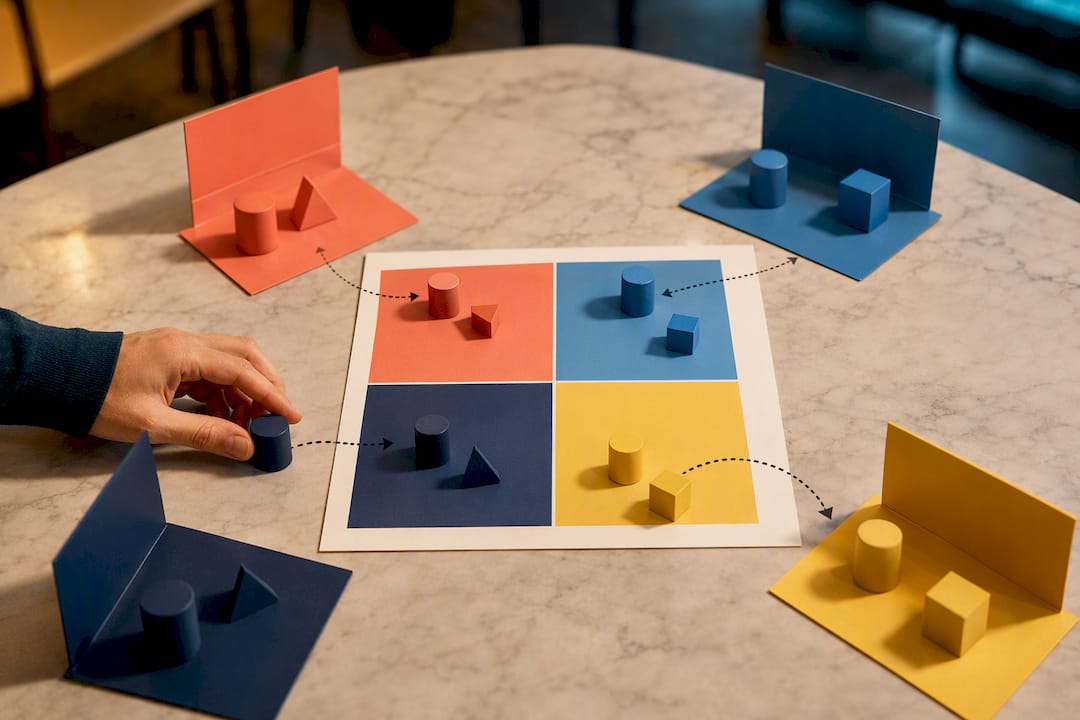
The bigger obstacle isn't the assessment itself. It's adoption. Volunteers skip anything that feels like extra homework, so the fix is structural: put the link where they already look, in the onboarding email, not in a separate ask three days later. Coordinators who treat DISC as a bolt-on task see it stall. Coordinators who fold it into the flow they already run see it stick.
If your organization is building this out for the first time, workshop materials and ready-to-use templates cut the setup time considerably. Look for practical templates built for nonprofit teams rather than generic corporate frameworks that assume a training budget you don't have.
— Tres
How Discassess Supports Volunteer Programs
Some DISC providers offer group reporting that is easy to use and does not require certification to interpret. That matters when your "HR department" is one overworked volunteer coordinator juggling three other jobs.
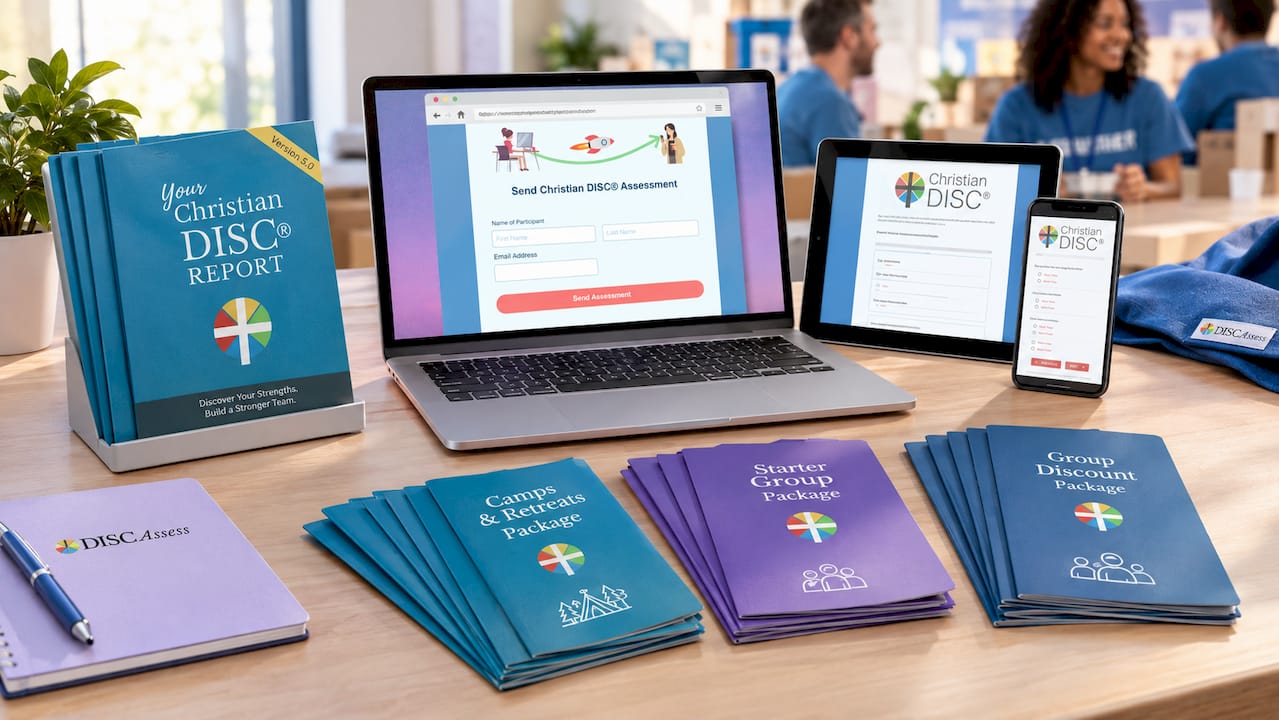
For a single event, the Camps & Retreats Package profiles a full team fast enough to use the results at the same event. Organizations just starting out fit better with the Starter Group Package, which keeps the learning curve short. Groups running DISC across multiple teams or repeat seasons get better value from the Group Discount Package, built for ongoing use rather than a single cycle. All three come with the admin portal and cheat sheet templates already built in, so you're not designing reports from scratch. If you're pairing DISC with a broader volunteer management setup, a nonprofit CRM can help keep placement notes and check-in schedules organized alongside your results. Pick the package that matches your next event size and get your team profiled before the next onboarding cycle starts.
Sources
- Journal article on assessments strengthening nonprofit workforces
- Effective DISC Assessment: A Team Building Guide for HR Professionals
FAQ
How Long Does a DISC Assessment Take for Volunteers?
Most volunteers finish in 10 to 15 minutes, which fits inside a standard onboarding session without adding a separate appointment.
Should DISC Results Ever Be Used to Reject a Volunteer?
No. DISC describes work preferences and communication style, not competence, so it should guide role placement rather than serve as a screening filter.
How Often Should Volunteers Retake the DISC Assessment?
There's no fixed rule, but many coordinators reassess volunteers who return for a new season or take on a significantly different role, since preferences can shift with experience and context.
What's the Easiest Way to Start Using DISC With a Volunteer Team?
Add the assessment link to your first onboarding email, choose a package sized to your group like the Starter Group Package, and distribute one-page cheat sheets before the first shift.
Who Should See a Volunteer's DISC Results?
Limit access to coordinators and team leads who need it for placement decisions, and store results in a secure group portal rather than sharing individual reports openly with the full team.